

Documentation Index
Fetch the complete documentation index at: https://specterops-release-v9-2-0.mintlify.app/llms.txt
Use this file to discover all available pages before exploring further.
| Release | BloodHound | OpenHound | SharpHound | AzureHound |
| 2026-05-28 | v9.2.0 | No release | v2.13.0 | No release |
Eligible Roles in the Entity Panel
Review privileged role context directly from the Entity Panel with a new Eligible Roles accordion for supported Azure principals.The accordion shows whether a user or group is eligible to activate a privileged role throughAZRoleEligible relationships and whether that principal can approve a role activation request through AZRoleApprover relationships.This gives you quick, node-level context without requiring you to inspect attack paths, which improves usability and discoverability during graph exploration.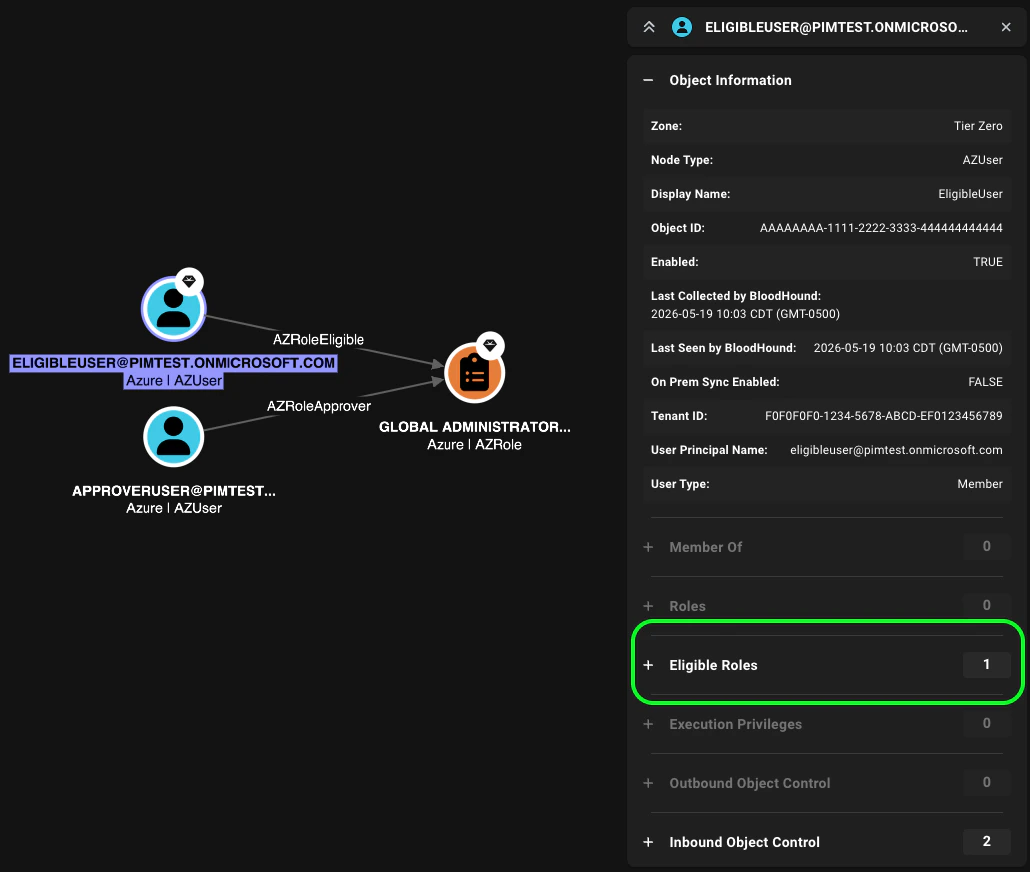
Search Result Node Selection
Move from Search results to entity analysis faster with automatic node selection and immediate Entity Panel context.When you click a search result, the corresponding node is now automatically selected in the graph, and the Entity Panel opens with that node’s details.This eliminates the extra step of manually clicking the node after searching, streamlining your workflow and allowing you to quickly pivot from search results to deeper analysis.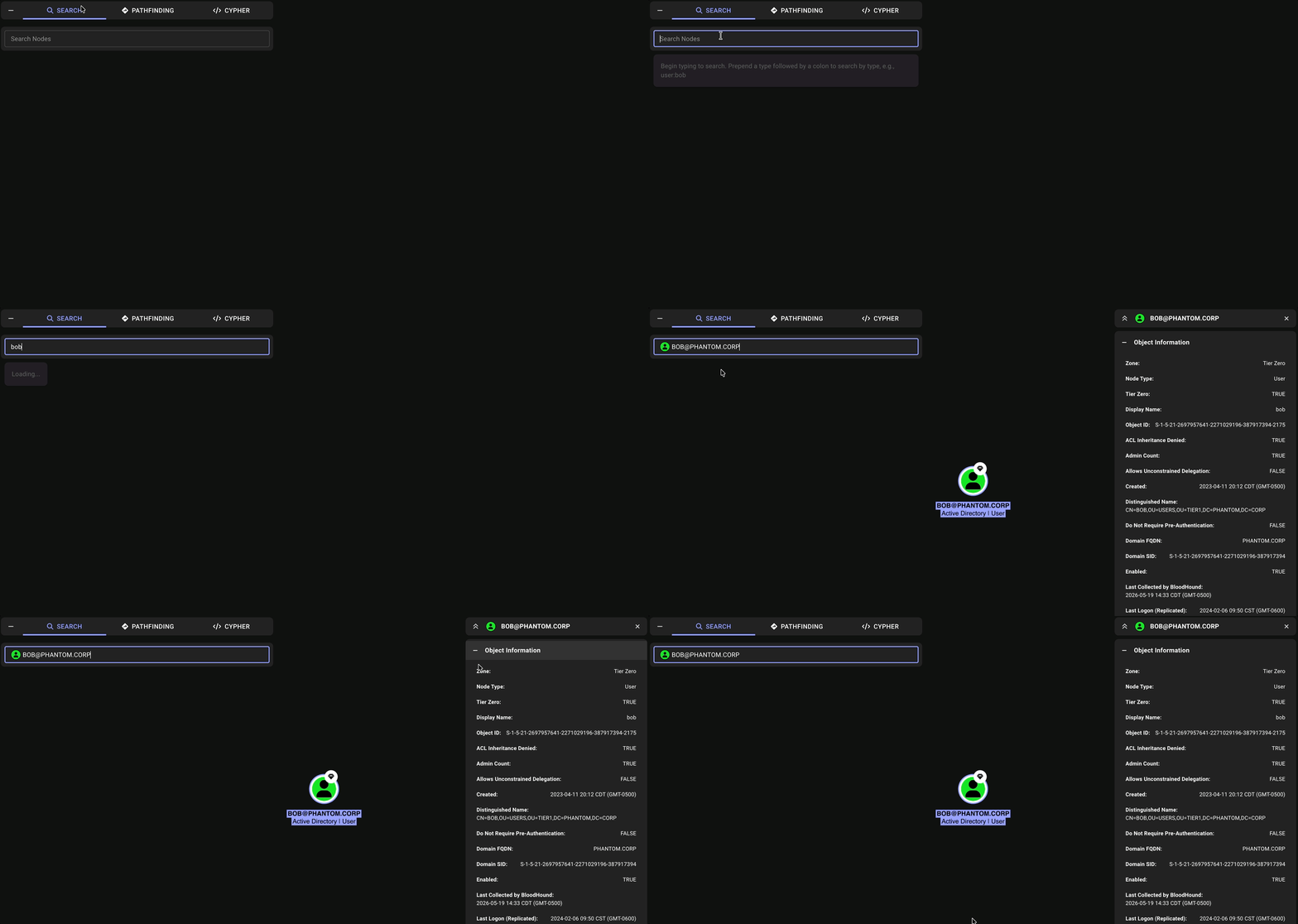
Relationship and Node Filtering Support
Userelationships(), startNode(), endNode(), and nodes() functions to inspect paths, filter by relationship data and endpoint node properties, and access the ordered list of nodes in traversal order.Multi-part Query Support
Chain query parts and pass intermediate results between them using theWITH clause.WITH lets you aggregate, filter, or alias results from one part of a query before continuing to the next. Complex queries that use WITH for aggregation and path materialization now work more reliably on PostgreSQL backends.Stronger OpenGraph Kind Validation
BloodHound now rejects uploads that use the reservedtag_ prefix (case-insensitive) in custom node and edge kinds. This applies to both extension definition schemas and data payloads.If you maintain extension definition schemas or data payloads, update any affected kinds to avoid failed uploads.Updated Node Schema
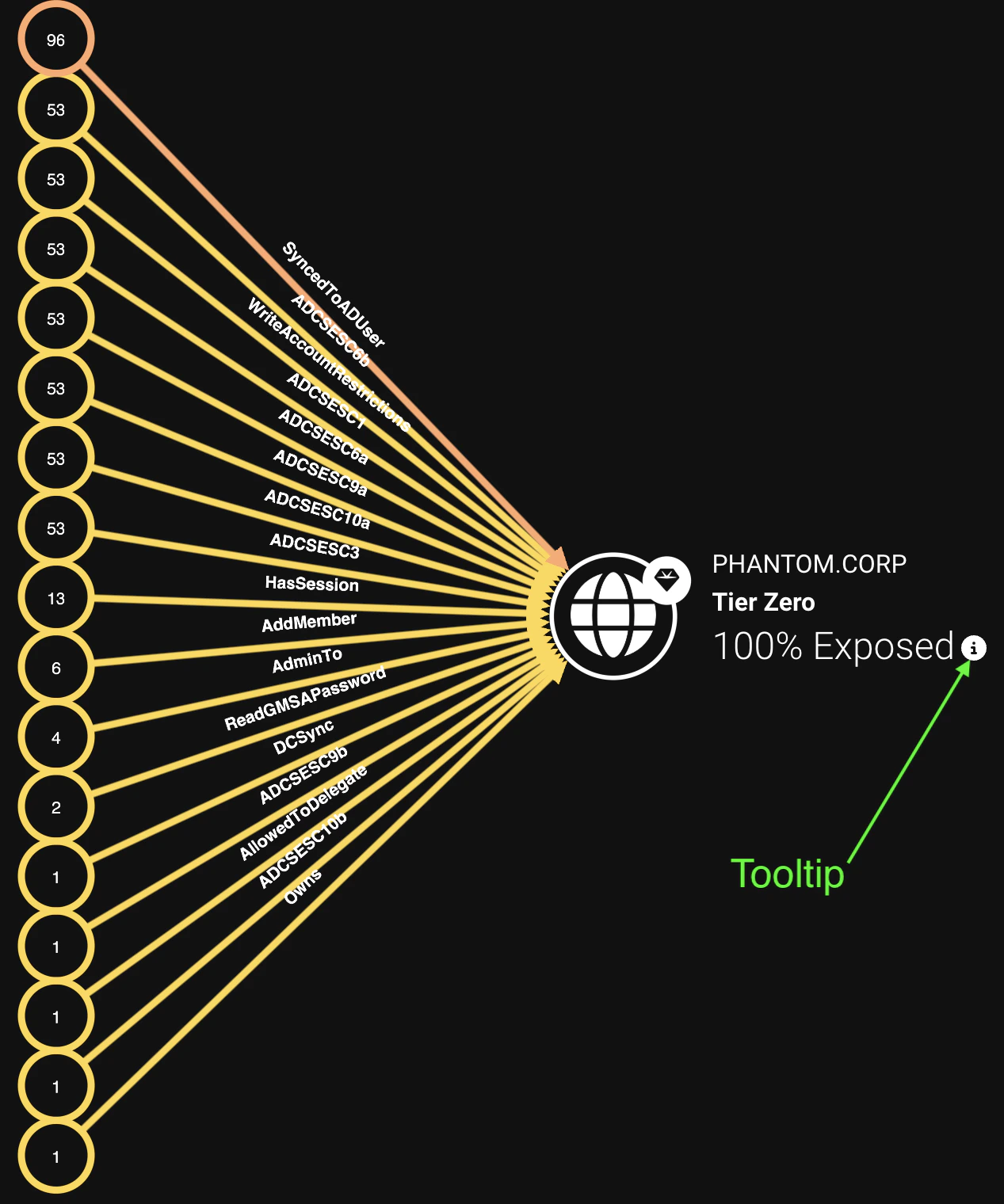
The OpenGraph node JSON schema now demonstratesenvironmentid and collected properties.This provides clearer guidance for extension developers building payloads that align with BloodHound ingest expectations, especially for extensions that produce findings and risk metrics.Exposure Tooltip Improvements

Analysis
-
Resolved an ADCS post-processing issue where managed service accounts (gMSA and sMSA) could be incorrectly filtered from certificate enrollment paths when certificate templates have
SubjectAltRequireDNSorSubjectAltRequireDomainDNSenabled. -
Resolved an issue where
CoerceAndRelayNTLMToADCSedges could be incorrectly dropped and recreated during analysis, resetting theirfirst_seenproperty even when no change occurred. In BloodHound Enterprise, this could cause related findings to appear remediated and then be rediscovered.
API
- Resolved an issue where non-administrator users could trigger the Analyze Now API action through direct requests.
- Resolved issues where filtering string fields with numeric or boolean-like values was interpreted incorrectly, causing API errors or incorrect filtering behavior.
Cypher
- Resolved an issue where variable-length relationships with a lower bound of
0did not correctly handle zero-hop matching; when a relationship resolves to0hops, the nodes on either side now bind to the same node. - Resolved an issue where Cypher equality comparisons for
objectidvalues could fail when the values contained special characters. - Resolved an issue where combining
AD_ATTACK_PATHSandAZ_ATTACK_PATHSedge shortcuts with the pipe character (|) would fail to return results from both shortcuts. - Resolved an issue where filtering edges by
lastseenusing duration-based date ranges would fail with a type compatibility error.
UI
- Resolved an issue where importing many files at once (such as a large Cypher query library) caused the file list to expand beyond the viewport, pushing the Upload button off-screen and requiring users to zoom out to proceed. File lists now scroll within the dialog.
- Resolved an issue where the Administration pop-out panel in the navigation sidebar could close before users selected an option.
- Resolved an issue where filtering the Finished Jobs Log after paging could show empty results due to stale page state.
- Resolved an issue where graph labels could render on top of node icons, reducing readability.
- Resolved an issue where password validation in the UI for creating users was inconsistent with the API validation rules.
Access Control
- Resolved an issue where ETAC-scoped users could see unauthorized environments in filters on the Attack Paths, Explore, and Posture pages.
- Resolved an issue where ETAC-scoped users could not view data from their assigned environments on the Explore page.
- Resolved an issue where administrators could not assign an environment defined by an OpenGraph extension to a user during ETAC configuration.
Collection and Edge Accuracy
- Resolved an issue where local principal kinds were labeled inconsistently, which could lead to incorrect handling of local group and local user objects.
- Resolved an issue where
AllowedToDelegateedges were not created whenmsDS-AllowedToDelegateTovalues existed but specific delegation flags were not set.